 C4GG
C4GGSearch
Search across all content
C4GGSearch across all content
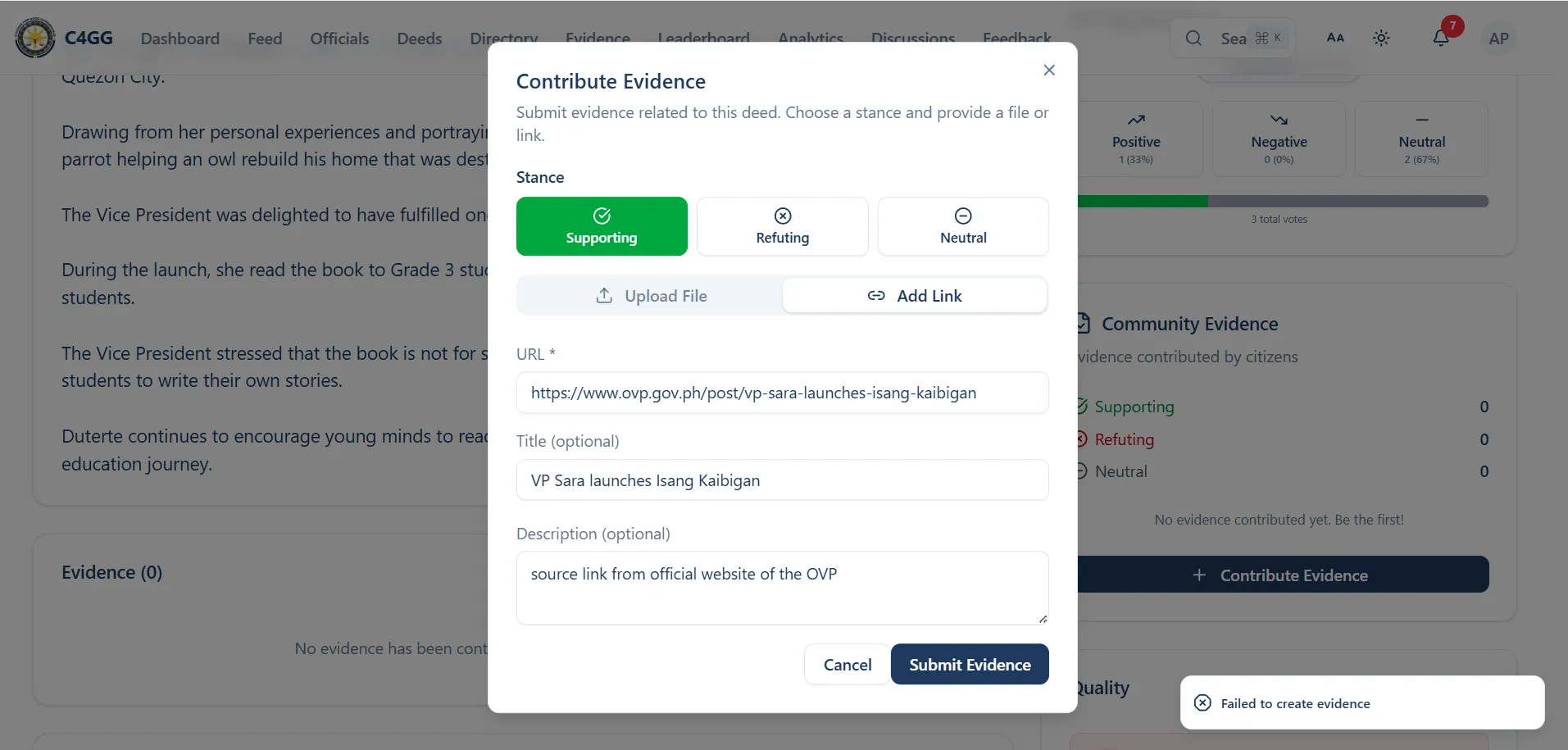
Unable to submit link evidence (URL) from contribute evidence window. Try to submit an evidence from the approved deed that has no attachments but failed even there is source link.
1. Select official 2. Choose any deed published 3. Click contribute evidence 4. Fill up the content using source including optional ones 5. Click Submit evidence
The should be successful notification that the evidence is created
Failed to create evidence notification appeared on lower right of the browser
Page: https://www.c4gg.net/deeds/published-isang-kaibigan
Browser: Mozilla/5.0 (Windows NT 10.0; Win64; x64) AppleWebKit/537.36 (KHTML, like Gecko) Chrome/146.0.0.0 Safari/537.36
Device: Win32 | 1680x1050
Please sign in to leave a comment